AutoCAD 3D Text
I will explain how to create 3D Text in AutoCAD by using several commands, such as;
- Text Command (to make the text).
- Txtexp Command (used to create text objects into 2D).
- Explode Command (used to destroy or separate portions of the text).
- Region Command (used to shape into a 3D object plane), you can also use Pedit (to form into a polyline object)
- Extrude Command (used to shape the text into a 3D object).
To form the 3D Text with AutoCAD can follow the steps below;
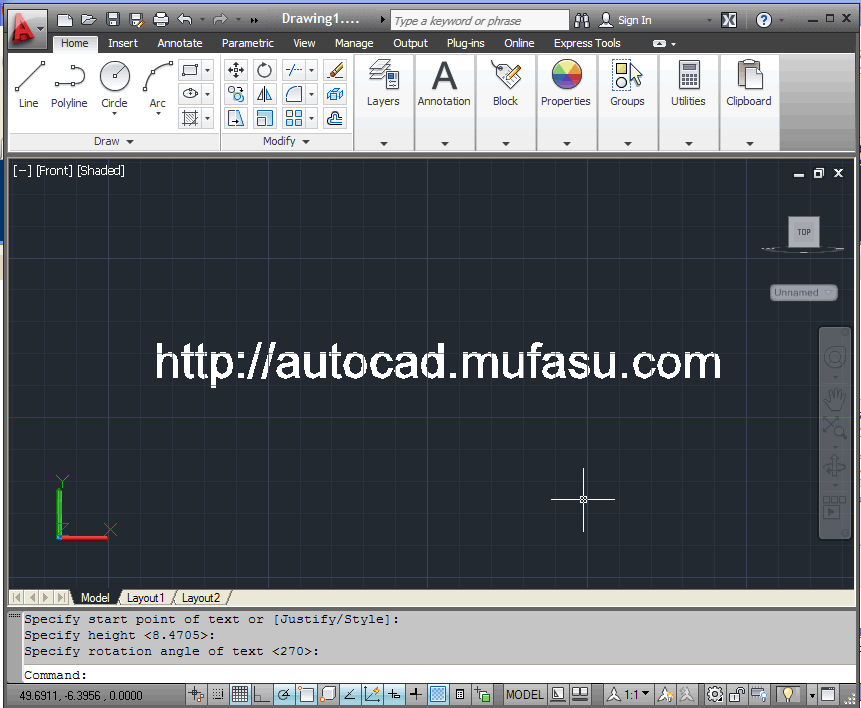
- Form a word that you want by using the Text Command. As in the picture below, I created a word.
Command Line
Command: TEXT
Current text style: "Standard" Text height: 8.4705 Annotative: No
Specify start point of text or [Justify/Style]:
Specify height <8.4705>:
Specify rotation angle of text <270>:
Current text style: "Standard" Text height: 8.4705 Annotative: No
Specify start point of text or [Justify/Style]:
Specify height <8.4705>:
Specify rotation angle of text <270>:
 |
| AutoCAD 3D Text |
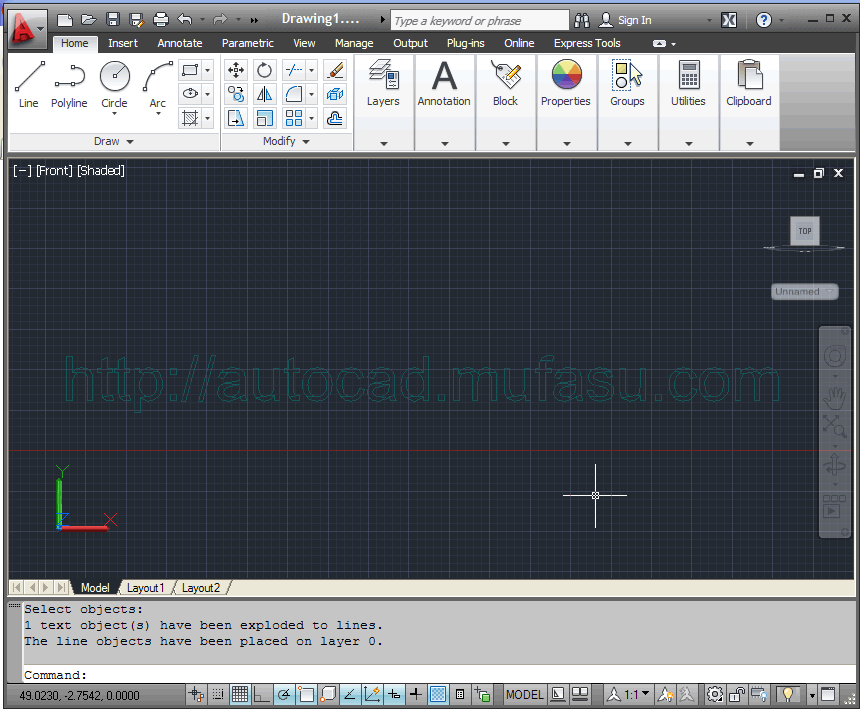
- Then using Txtexp Command, to change the text that previously shaped object plane (3D) objects into 2D.
Command Line
Command: TXTEXP
Select text to be EXPLODED:
Select objects: Specify opposite corner: 1 found
Select objects:
1 text object(s) have been exploded to lines.
The line objects have been placed on layer 0.
Select text to be EXPLODED:
Select objects: Specify opposite corner: 1 found
Select objects:
1 text object(s) have been exploded to lines.
The line objects have been placed on layer 0.
 |
| AutoCAD 3D Text |
- To separate the parts of the text object, use the explode command and delete the line across the text.
 |
| AutoCAD 3D Text |
- After that, use the Region Command to form the whole object into planes, and use the extrude command to create text objects into 3D.
Command Line
Command: EXTRUde
Current wire frame density: ISOLINES=4, Closed profiles creation mode = Solid
Select objects to extrude or [MOde]: Specify opposite corner: 37 found
Select objects to extrude or [MOde]:
4 objects removed from selection set.
Specify height of extrusion or [Direction/Path/Taper angle/Expression]
<4.0000>: 1
Current wire frame density: ISOLINES=4, Closed profiles creation mode = Solid
Select objects to extrude or [MOde]: Specify opposite corner: 37 found
Select objects to extrude or [MOde]:
4 objects removed from selection set.
Specify height of extrusion or [Direction/Path/Taper angle/Expression]
<4.0000>: 1
 |
| AutoCAD 3D Text |
- Use the Subtract Command to form the hole in words like o, A, P and others.
Command Line
Command: SUBTRACT
Select solids, surfaces, and regions to subtract from ..
Select objects: 1 found
Select objects: Select solids, surfaces, and regions to subtract ..
Select objects: 1 found
Select solids, surfaces, and regions to subtract from ..
Select objects: 1 found
Select objects: Select solids, surfaces, and regions to subtract ..
Select objects: 1 found
 |
| AutoCAD 3D Text |
Now you can create 3D Text WITH WORDS that you created yourself

autocad 3D TUTORIAL, 3D MODELING I WANT TO LEARN SO PLEASE SHARE MORE TUTORIAL tutorial of core and cavity in catia also.
ReplyDelete